
ericciarla/trendFinder
Trend Finder 🔦
Stay on top of trending topics on social media — all in one place.
Trend Finder collects and analyzes posts from key influencers, then sends a Slack or Discord notification when it detects new trends or product launches. This has been a complete game-changer for the Firecrawl marketing team by:
- Saving time normally spent manually searching social channels
- Keeping you informed of relevant, real-time conversations
- Enabling rapid response to new opportunities or emerging industry shifts
Spend less time hunting for trends and more time creating impactful campaigns.
Watch the Demo & Tutorial video
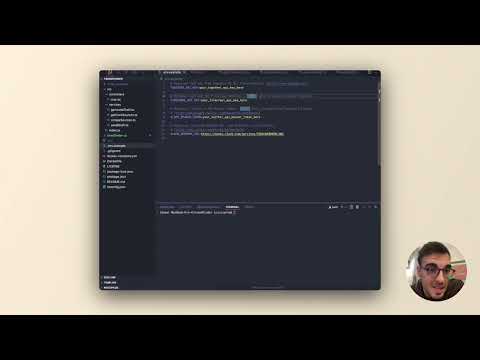
Learn how to set up Trend Finder and start monitoring trends in this video!
How it Works
-
Data Collection 📥
- Monitors selected influencers’ posts on Twitter/X using the X API (Warning: the X API free plan is rate limited to only monitor 1 X account every 15 min)
- Monitors websites for new releases and news with Firecrawl’s /extract
- Runs on a scheduled basis using cron jobs
-
AI Analysis 🧠
- Processes collected content through Together AI
- Identifies emerging trends, releases, and news.
- Analyzes sentiment and relevance
-
Notification System 📢
- When significant trends are detected, sends Slack or Discord notifications based on cron job setup
- Provides context about the trend and its sources
- Enables quick response to emerging opportunities
Features
- 🤖 AI-powered trend analysis using Together AI
- 📱 Social media monitoring (Twitter/X integration)
- 🔍 Website monitoring with Firecrawl
- 💬 Instant Slack or Discord notifications
- ⏱️ Scheduled monitoring using cron jobs
Prerequisites
- Node.js (v14 or higher)
- npm or yarn
- Docker
- Docker Compose
- Slack workspace with webhook permissions
- API keys for required services
Environment Variables
Copy .env.example to .env and configure the following variables:
|
|
Getting Started
-
Clone the repository:
1
2
git clone [repository-url] cd trend-finder -
Install dependencies:
1npm install -
Configure environment variables:
1
2
cp .env.example .env # Edit .env with your configuration -
Run the application:
1
2
3
4
5
# Development mode with hot reloading npm run start # Build for production npm run build
Using Docker
-
Build the Docker image:
1docker build -t trend-finder . -
Run the Docker container:
1docker run -d -p 3000:3000 --env-file .env trend-finder
Using Docker Compose
-
Start the application with Docker Compose:
1docker-compose up --build -d -
Stop the application with Docker Compose:
1docker-compose down
Project Structure
|
|
Contributing
- Fork the repository
- Create your feature branch (
git checkout -b feature/amazing-feature) - Commit your changes (
git commit -m 'Add some amazing feature') - Push to the branch (
git push origin feature/amazing-feature) - Open a Pull Request