ChrisTitusTech/winutil
Chris Titus Tech’s Windows Utility



This utility is a compilation of Windows tasks I perform on each Windows system I use. It is meant to streamline installs, debloat with tweaks, troubleshoot with config, and fix Windows updates. I am extremely picky about any contributions to keep this project clean and efficient.
💡 Usage
Winutil must be run in Admin mode because it performs system-wide tweaks. To achieve this, run PowerShell as an administrator. Here are a few ways to do it:
-
Start menu Method:
- Right-click on the start menu.
- Choose “Windows PowerShell (Admin)” (for Windows 10) or “Terminal (Admin)” (for Windows 11).
-
Search and Launch Method:
- Press the Windows key.
- Type “PowerShell” or “Terminal” (for Windows 11).
- Press
Ctrl + Shift + Enteror Right-click and choose “Run as administrator” to launch it with administrator privileges.
Launch Command
Stable Branch (Recommended)
|
|
Dev Branch
|
|
If you have Issues, refer to Known Issues
🎓 Documentation
WinUtil Official Documentation
YouTube Tutorial
ChrisTitus.com Article
💖 Support
- To morally and mentally support the project, make sure to leave a ⭐️!
- EXE Wrapper for $10 @ https://www.cttstore.com/windows-toolbox
💖 Sponsors
These are the sponsors that help keep this project alive with monthly contributions.


🏅 Thanks to all Contributors
Thanks a lot for spending your time helping Winutil grow. Thanks a lot! Keep rocking 🍻.
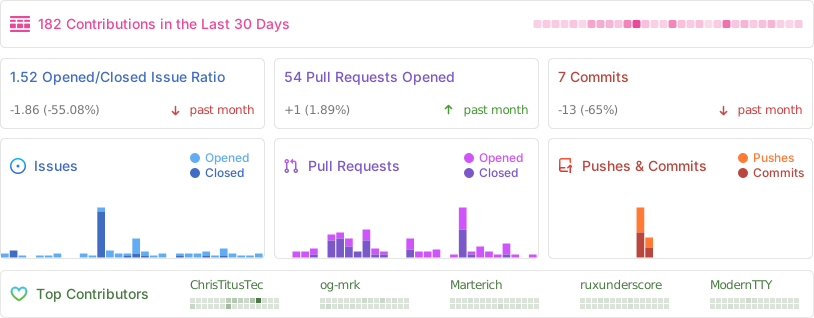
📊 GitHub Stats